Replacing My CBI Astute Geyser Switch with a Sonoff BASIC-ZB1GSP
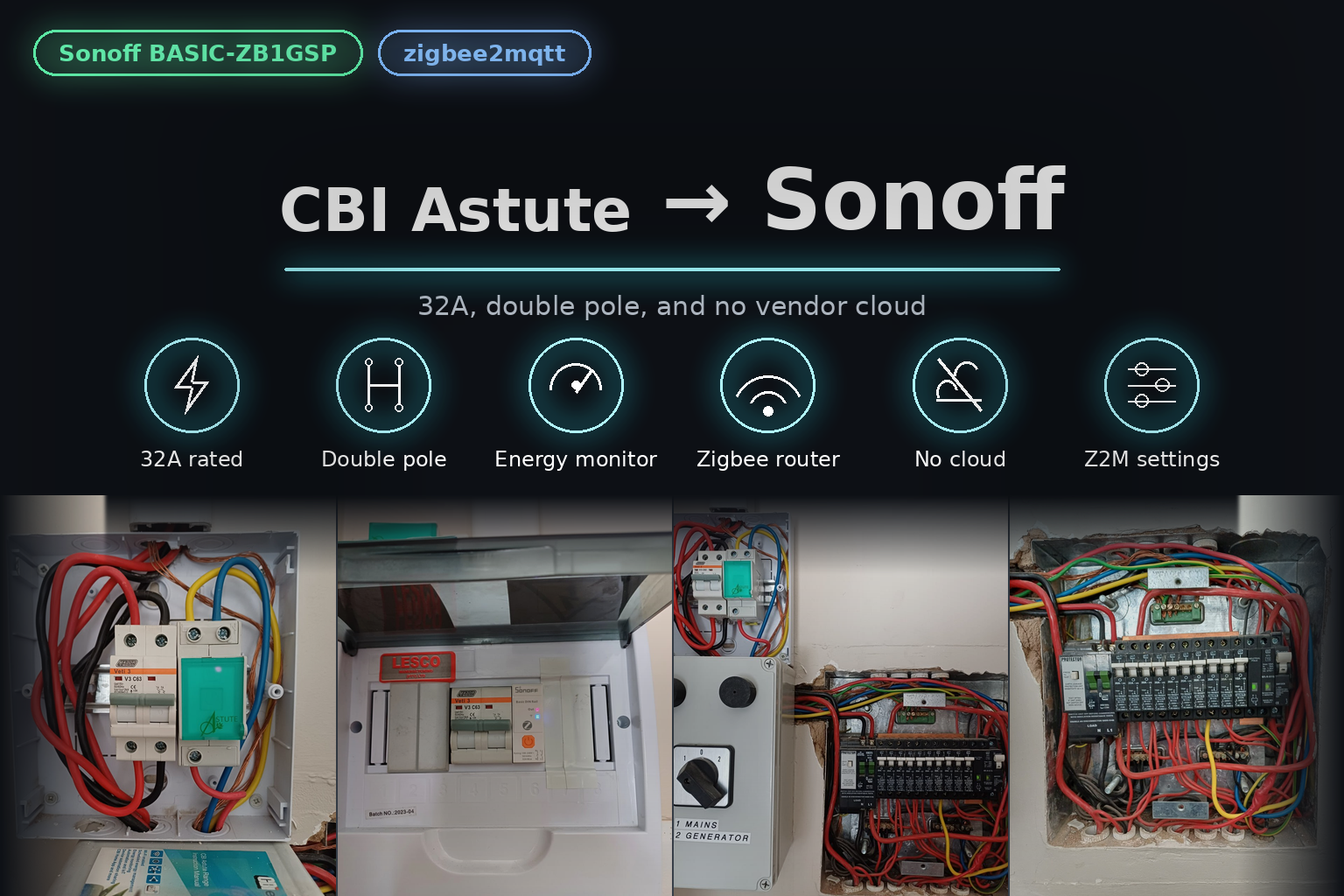
The Tuya cloud integration kept dropping out, and a geyser that doesn't switch when it should is a battery problem. So the CBI Astute came out of the DB board and a Zigbee DIN rail switch went in.
Two things you don’t leave to chance: hot water and battery state
The geyser is the biggest electrical thing in most South African homes, and in a house running on solar with batteries, it’s also the biggest single decision you make on any given day. Heat it when the panels are producing and the batteries are full. Don’t heat it at 4am when the battery is down to its last few percent and the grid is about to charge you peak rates for the privilege.
Which means whatever switches the geyser has to be reliable. Not “usually works”. Not “works when the vendor’s cloud is having a good day”. That second sentence is why the CBI Astute came out of my DB board and a Zigbee switch went in. I’m not sure the cloud goes down, or if it’s just the Home Assistant integration maybe. I must say the CBI Astute worked without fail using local tuya, it was reliable, but as stated below it’s the setup and upkeep that sucks.
What was there: the CBI Astute
The CBI Astute smart geyser switch has been in my board for a while and on paper it’s a good device — Wi-Fi, 30A resistive / 10A inductive at 230V, energy monitoring, scheduling, load management, and a manual bypass button so you can still run the geyser if there’s no network. It’s a well-built piece of South African kit and it understands the job.
The problem isn’t the hardware. It’s the ecosystem it lives in: the Astute is a Tuya device. Everything you want to do with it runs through Tuya.
Why that became a problem
My geyser automation is not decoration. It is, functionally, part of my battery management. If the geyser switches on when it shouldn’t, it can pull the batteries down hard and fast. If it fails to switch off, it keeps doing that. If it fails to switch on, the household notices in the shower and I notice in the morning when the battery state looks nothing like it should.
The Tuya path in Home Assistant went offline fairly often — whether that was the cloud itself or just the integration, I’m honestly not sure. Not constantly — that would at least be predictable — but often enough that I stopped trusting it. Every one of those dropouts was a window where a command to the geyser might simply not land, or a state report might be stale, and the automation is only as good as the truth it’s working from. A switch that lies to you is worse than no switch at all, because you build automations on top of it.
The Tuya Local detour
To be fair to the CBI, I didn’t give up at the first hurdle. I started on the Tuya cloud integration, hit the reliability problem fairly quickly, and then moved to Tuya Local (the HACS integration that talks to the device on the LAN instead of via the cloud). That is the correct instinct — pull the cloud out of the path and things get faster and more reliable.
What stops it being a sane long-term plan, for me, is the admin:
- Tuya’s developer account requires you to extend your trial every six months. Miss it, or don’t feel like doing it, and things stop working.
- Setting up Tuya Local requires API keys. Which means creating a project on the Tuya IoT platform, generating the credentials, wiring them together.
- It is not one step, it is a chain of steps, in a portal that is not built for someone doing this at 10pm on a Tuesday.
None of that is unreasonable from Tuya’s side — they don’t owe me a free local API. But it means my geyser — the thing feeding my hot water and leaning on my batteries — depends on me remembering a calendar event every six months and re-navigating a cloud portal. That’s a bad foundation for infrastructure.
What replaced it: the Sonoff BASIC-ZB1GSP
In its place: a Sonoff BASIC-ZB1GSP, their DIN rail Zigbee smart switch.
- Zigbee 3.0 — no vendor cloud in the path at all. It talks to my Zigbee coordinator and into zigbee2mqtt.
- 32A load rating, comfortably above what a geyser element draws.
- Double-pole switching — it breaks both live and neutral, which is a genuine safety improvement over a switched-live-only device.
- Energy monitoring — voltage, current, power and energy, which is the whole reason I want a geyser on a smart switch in the first place.
- Overload protection with configurable limits that cut the output if thresholds are exceeded.
- And the part that mattered more than I expected: it acts as a Zigbee router, not just an endpoint.
One caveat worth knowing before you buy one: the energy monitoring only works properly if the load’s neutral is wired through the output neutral terminal. If you wire it like a plain switch, you get switching without metering — fine if you only want on and off, disappointing if you expected the power graphs.
The hard part: finding the geyser’s neutral
Fitting the Sonoff wasn’t the hard part. Finding the neutral was.
The CBI only switches the live. The Sonoff is double pole — it breaks both live and neutral — and it has a neutral output terminal on the bottom. So the geyser’s neutral has to come into it and be taken back out again. After years of a single-pole switch sitting in that position, the geyser’s neutral was somewhere on the neutral bar, and nobody had ever needed to know which one it was. Including me.
My plan for finding it was the careful one, and I’d thought it through properly: power the house down, short the live and neutral together at the geyser, then go to the DB with a multimeter and buzz out continuity — identify the live that way, then work along the neutral bar one terminal at a time until I found the one that completed the circuit.
That would have worked. It is also a thoroughly unpleasant afternoon: the entire house dark, and every terminal on the neutral bar a suspect.
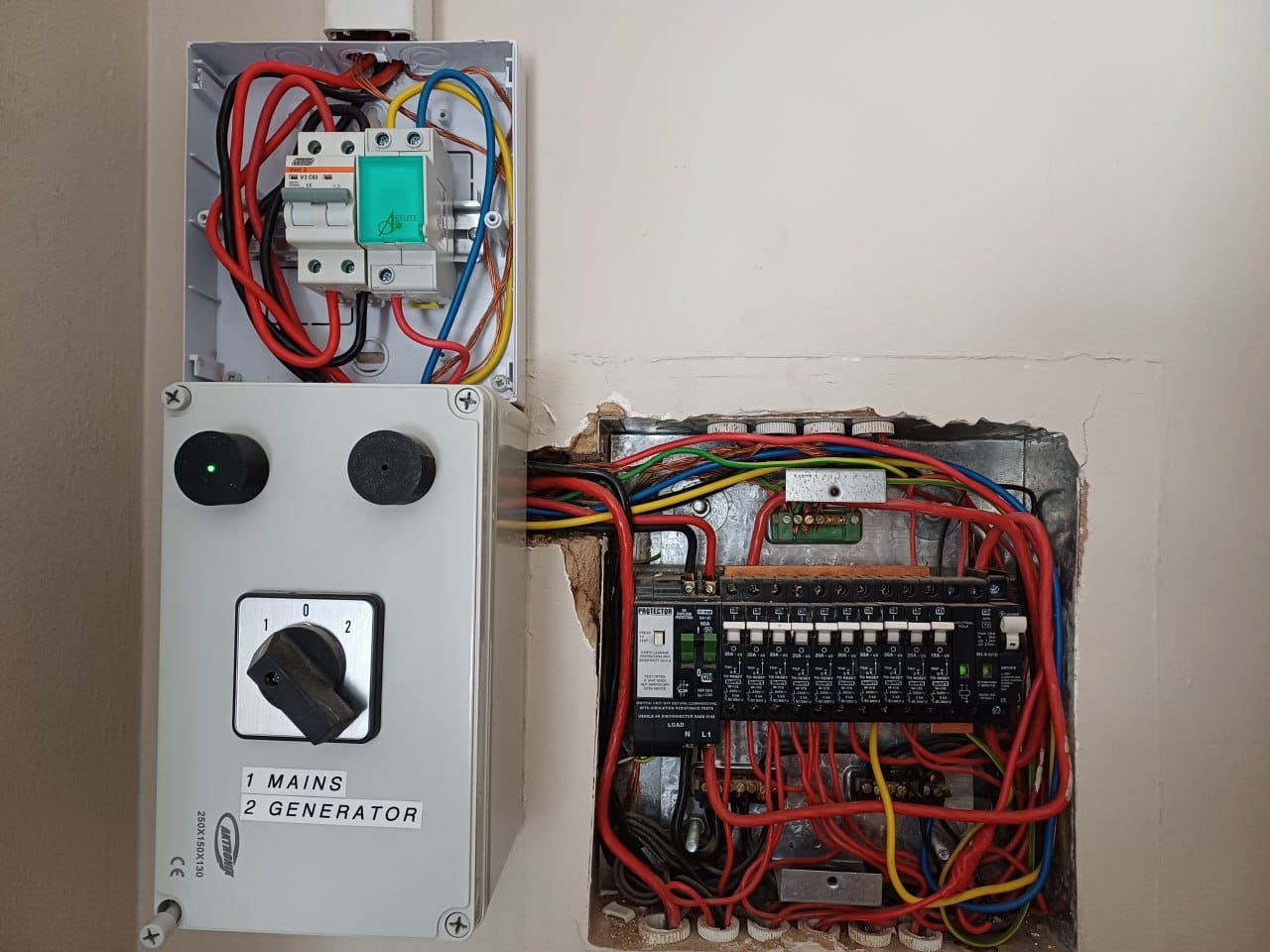
Luck did the work instead. My DB is almost directly below the geyser, so I could simply follow the wires with my eyes — they drop down a conduit from the geyser, and it was obvious that the three wires (earth, live and neutral) running into the rightmost conduit were the geyser’s. One look, and the neutral was found without taking a single multimeter reading.
The live still managed to trick me. I was expecting one wire and I could see two, and the live didn’t run straight to the breaker the way I’d assumed — it headed off into the board instead and down a conduit - under the ground, which made no sense to me until an electrician friend who lives nearby pointed out why: it goes to a ripple relay first.
That’s the answer to the two wires, and it’s a relic of a system that no longer exists. Municipalities used to run ripple control — switching geysers off remotely over the mains during peak, by sending a signal down the power lines. My council doesn’t use it to control geysers any more. But the relay is still there, still sitting in the run, and the wire coming back from that ripple relay is the geyser’s live.
So the geyser’s live doesn’t come straight off the breaker. It goes out to the ripple relay and comes back to feed the geyser. Two wires where I expected one, and a circuit that only makes sense once someone who knows old DB boards points at the relay and says “that’s what that is”.
Two gains I didn’t expect to care about
The mesh got better. A geyser switch sits in a DB board. That makes it an awkward Zigbee endpoint — and a useful Zigbee router. Every mains-powered Zigbee device that’s always on strengthens the mesh for everything around it, and the DB board is a spot my mesh could do with a boost. I effectively added a router where I most needed one, by replacing a device I was already unhappy with.
zigbee2mqtt exposes far more than the CBI ever did. With the CBI I got the handful of entities the Tuya integration decided to surface. With the Sonoff in Z2M I get the device’s actual settings — the switching behaviour, the energy reporting, the protection thresholds, the calibration. More importantly, they’re mine to set, locally, without an app or a cloud account having an opinion about it. When something misbehaves I can go and look at it properly instead of waiting for a vendor cloud to catch up.
The DB board, before and after
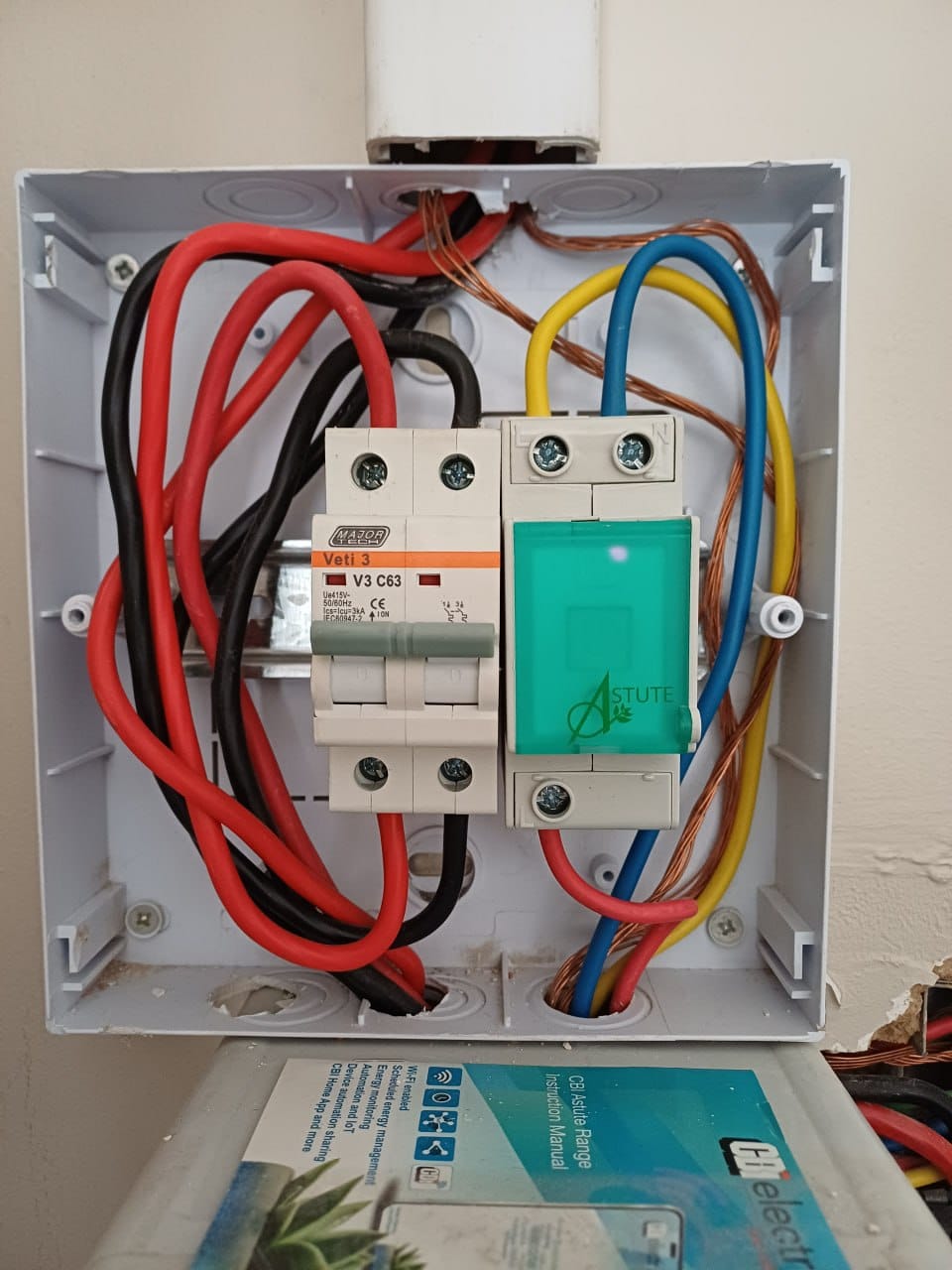
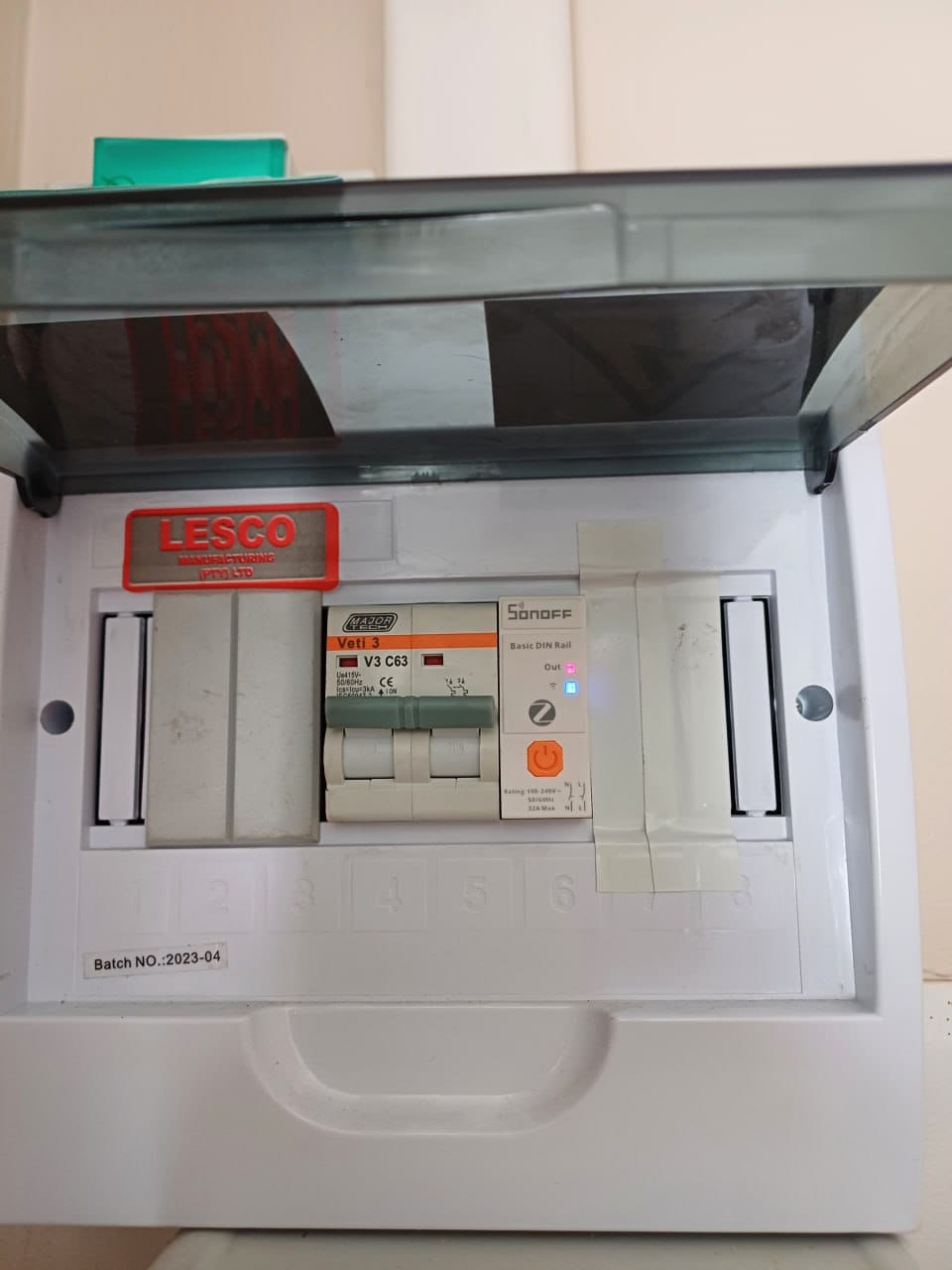
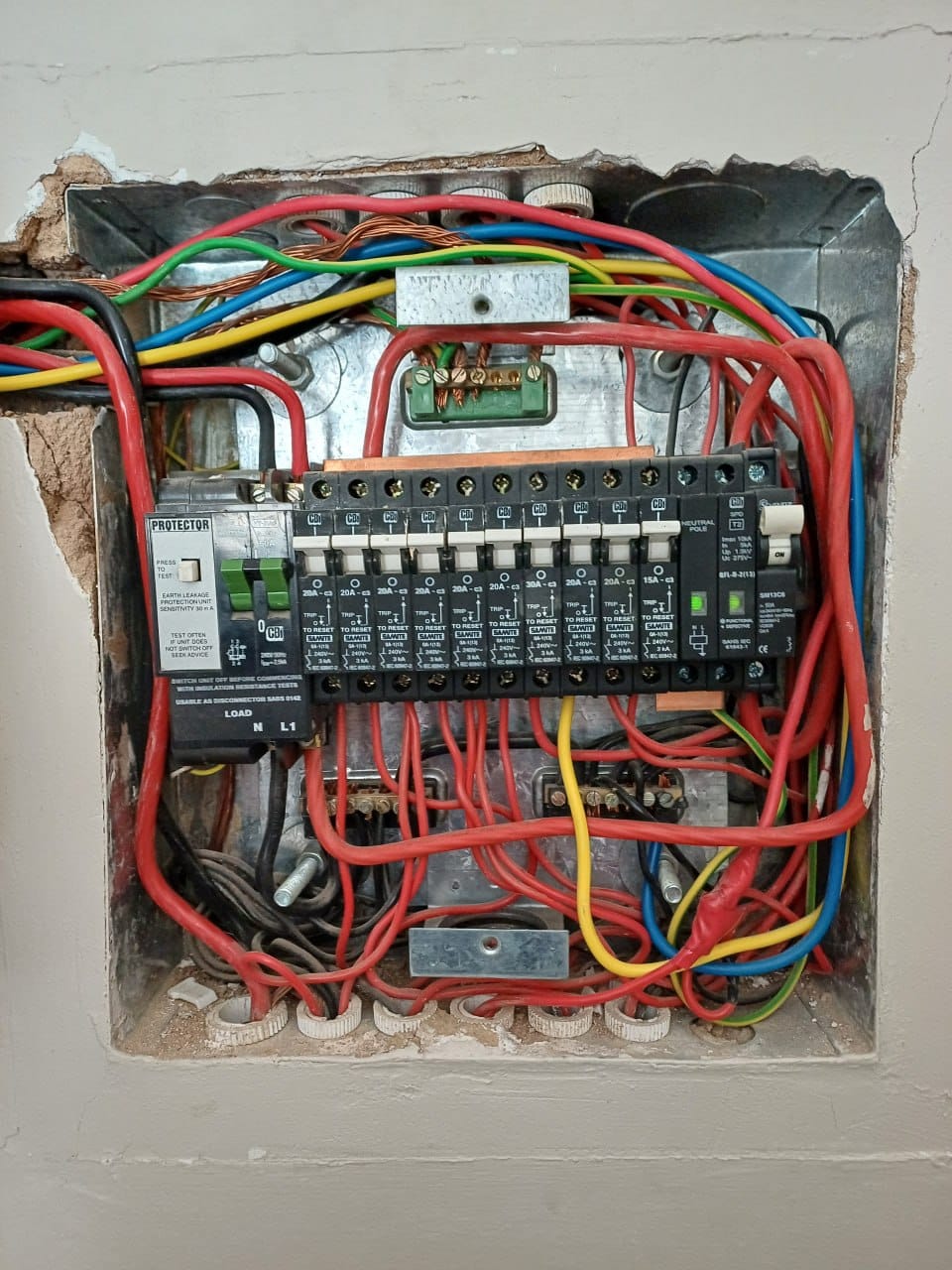
Photos of the swap — the CBI Astute in its enclosure before, and the Sonoff sitting in the same spot after, next to the same Veti C63.
On the wiring, since it’s the sort of thing a photo can’t tell you: in the main DB, the yellow wire is the geyser feed coming off the breaker into the smart switch, and the blue is the neutral. The geyser’s own live and neutral then come out of the bottom of the Sonoff — that’s the double pole doing its job, breaking both conductors rather than just the live.
What I’d tell anyone doing this
- Don’t put critical infrastructure behind a vendor cloud if you can avoid it. This is not an anti-cloud rant — it’s that my geyser’s behaviour materially affects my batteries, and I want that decision making loop entirely inside my own house.
- A cloud outage is not the same as a device failure, and it’s harder to notice. The switch was fine the whole time. What broke was my visibility and control of it, and that only shows up as “the geyser did something odd at 3am”.
- If a local integration needs a six-month trial extension to keep working, that’s a recurring chore, not a setup. Be honest with yourself about whether you’ll still be doing it in two years.
- 32A and double-pole isolation are the specs to check for geyser duty. Read the actual rating, and remember resistive versus inductive loads are rated differently.
- In an older South African DB, the geyser’s live may not come straight off the breaker. Mine runs out to a ripple relay and back — municipal load control that hasn’t been used for geysers in years, still wired into the circuit. Chase the wire before you decide the board is wired wrong.
- Check whether your device is a router or just an endpoint. If it is a router, where you put it matters for the rest of your mesh.
The CBI Astute is probably still a fine choice for a lot of people — if you’re happy inside the Tuya app and your automation doesn’t have consequences, it does the job. For a geyser sitting on a solar and battery system, I wanted the switching decision to happen locally, on a protocol I control, on a device that also quietly makes the rest of my mesh better. That’s the trade I made.
I have kept the CBI Astute, so if I were to sell the house one day and move I would put the CBI back, the new owners can just use the CBI Home app, as they might not have a whole Home Assistant setup like I do.